
December 8, 2025
Your Holiday Checklist Essentials
When was the last time you updated your default playlist(s)? A default playlist keeps your station(s) on the air should your team ever miss a step in sending music and/or traffic logs.
Default playlists are easy to create in WO Automation for Radio. Simply follow these steps:
- Open Playlist Editor
- Select Playlists
- Select the station
- Select a historic date (preferably a day without holiday music)
- Make the log evergreen by removing date-specific content (i.e., commercials, etc.)
- Right click anywhere in the log
- Select “Save as Default Playlist”
- Repeat for each station
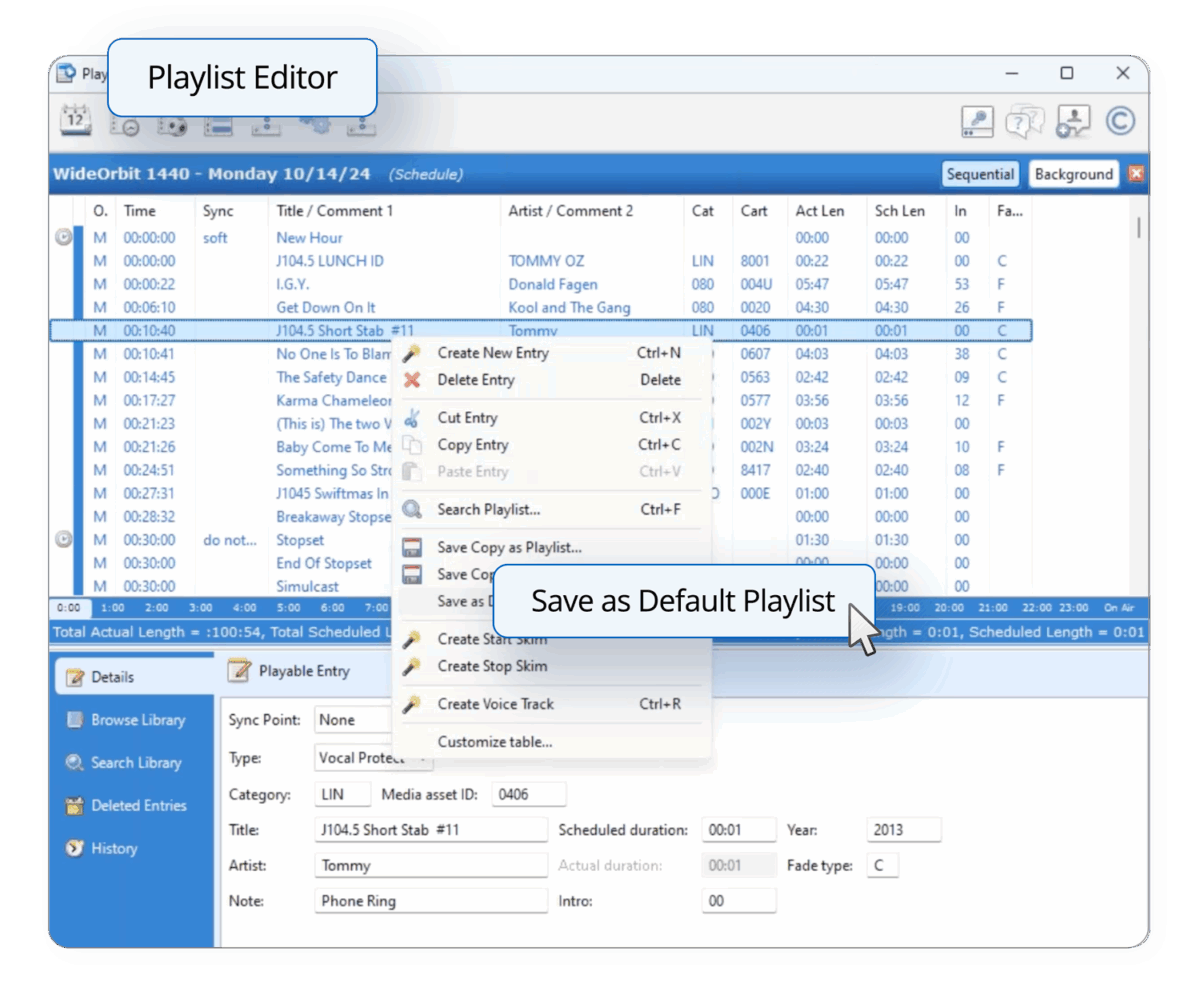
An up to date default playlist can prevent an off-air emergency over the holidays. This is one of several recommended tasks included in the WideOrbit Radio Holiday Checklist.
Dowload your copy of the WideOrbit Holiday Checklist.